


The following system is entered at this picture:

Before solving your system of ordinary differential equations you need to program it in Runge. This section describes the way you can do that.
The following system is entered at this picture:


Here you can set:

therefore the final system turns to be


where  , see Start t above.
 to start solving the system. For big
systems or long time ranges you might see progress bar
to start solving the system. For big
systems or long time ranges you might see progress bar

Here you can stop, pause and resume solving process by using appropriate buttons.

Every solution has an id starting from zero.


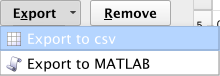
Use Export feature to export solution to other programs like MS Excel or MATLAB
Excel should read it like this:

MATLAB should read it like this:

And after issuing a command like
>> plot(solution0(:,2), solution0(:,3));
it should render a plot:
